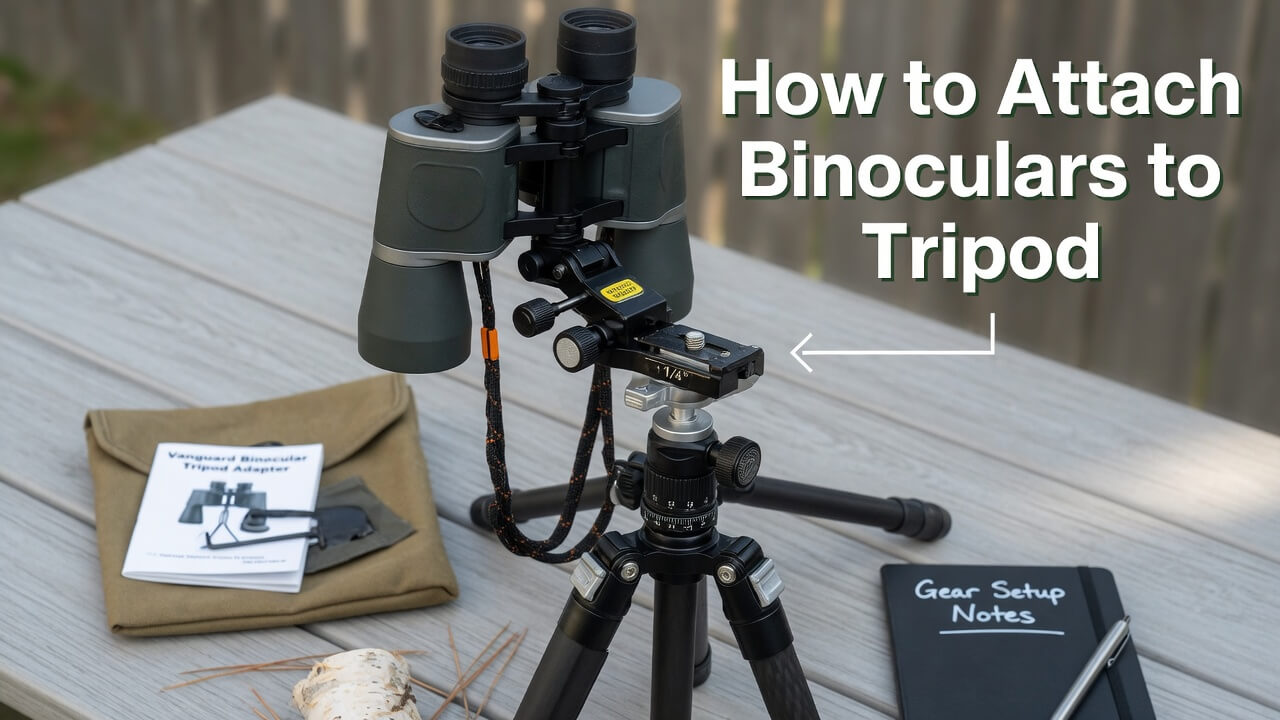
How to Attach Binoculars to a Tripod for Stable Viewing
Trying to use binoculars by hand for a few minutes is easy. Trying to hold them steady for bird watching, astronomy, hunting, long-distance viewing, or sports observation is a different story. Even good binoculars can feel frustrating when the image keeps shaking, your arms get tired, or you lose the subject every time you adjust your grip.
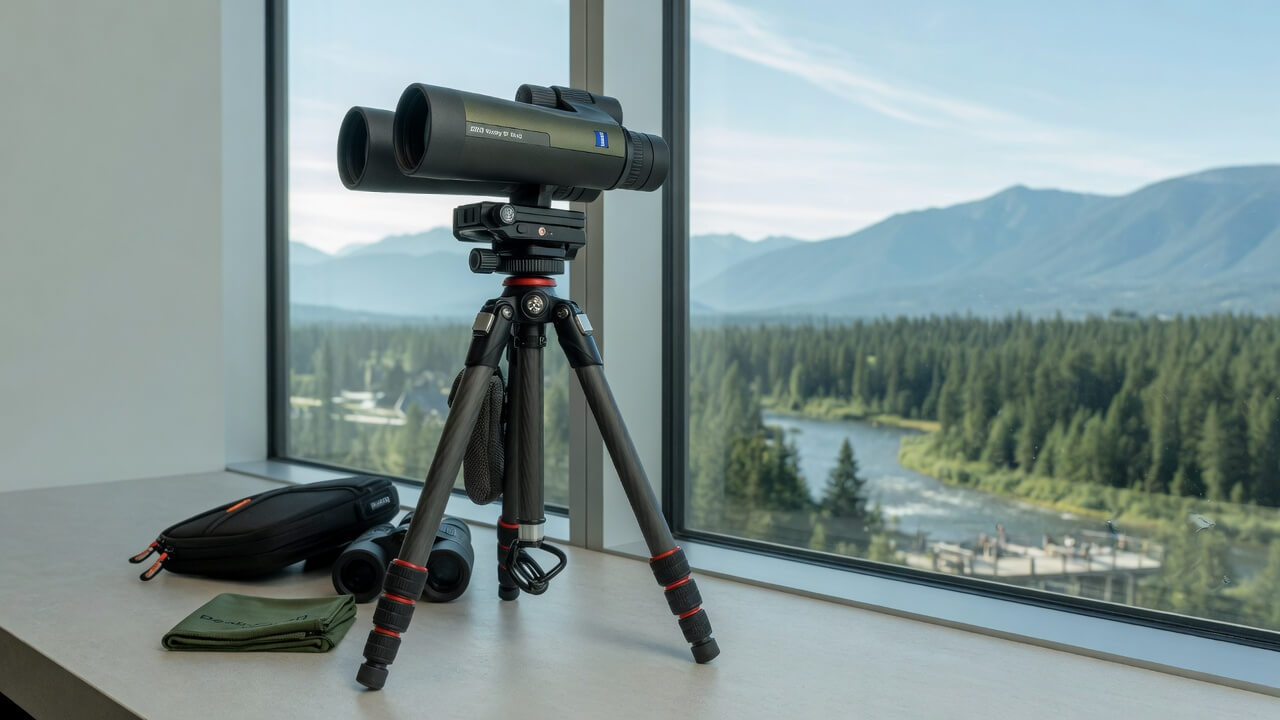
That is exactly why learning how to attach binoculars to a tripod properly matters. A tripod turns ordinary handheld binocular viewing into a calmer, sharper, and more comfortable experience. You are not fighting hand shake anymore — you are actually observing.
The good news? Most tripod-ready binoculars are easy to mount once you understand the adapter, thread size, and balance point. The bad news? Many people buy the wrong adapter, overtighten the screw, or use a weak tripod that ruins the whole setup.
This article explains the real-world way to attach binoculars to a tripod, what parts you need, what mistakes to avoid, and when a tripod-mounted binocular setup is actually worth it.
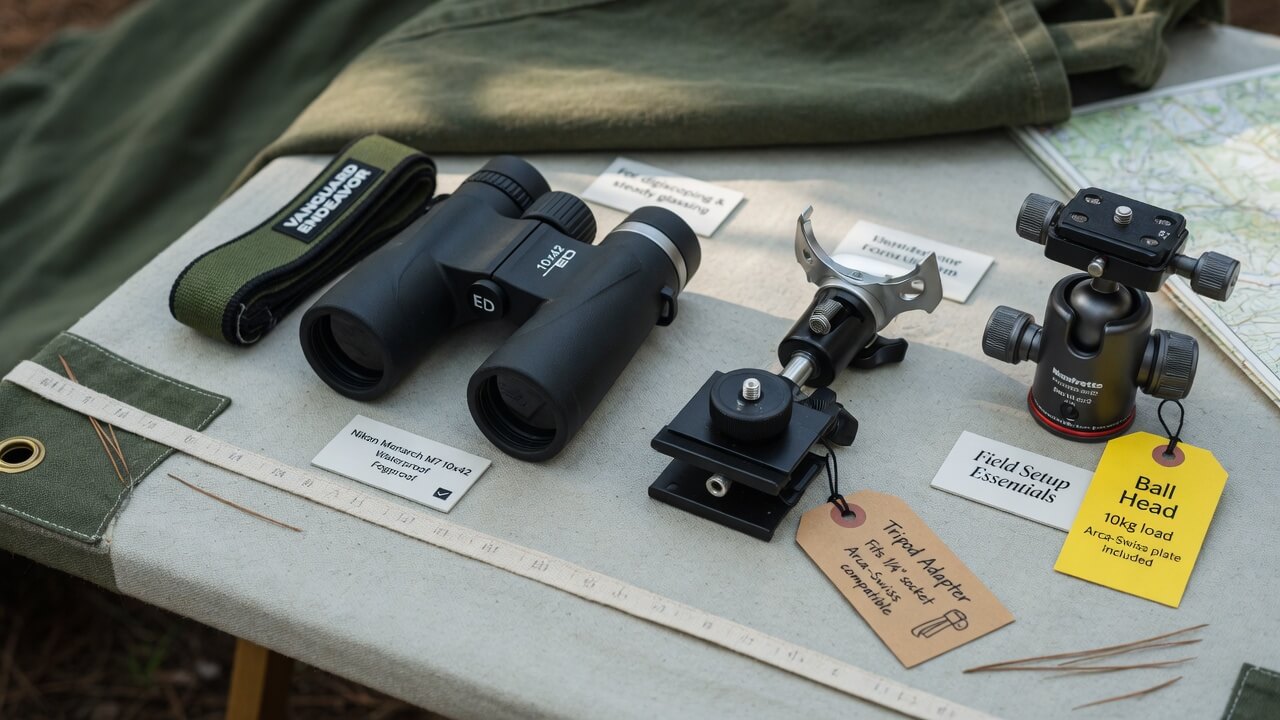
Why Attach Binoculars to a Tripod?
The main reason to attach binoculars to tripod is stability. Even if your hands are steady, small movements become obvious at higher magnification. A 10x binocular can already show hand shake. A 12x, 15x, or 20x binocular can feel almost unusable for long viewing without support.
A tripod helps when you want to:
| Situation | Why a Tripod Helps |
|---|---|
| Astronomy | Keeps stars, moon details, and planets steady |
| Long-distance viewing | Reduces image shake over large open areas |
| Hunting or scouting | Allows slow, patient glassing without arm fatigue |
| Bird watching from one location | Makes it easier to study small details |
| Sports or events | Lets you follow action without constantly lifting binoculars |
| Digiscoping or phone photography | Keeps the image aligned for cleaner shots |
The first time you use binoculars on a tripod, the biggest difference is not just sharpness. It is patience. You stop rushing. You can scan slowly, compare details, and actually enjoy the view.
For a full setup breakdown, read the main pillar guide on how to mount binoculars to a tripod. That page gives you the complete silo overview before you choose your mounting method.
What You Need to Attach Binoculars to Tripod
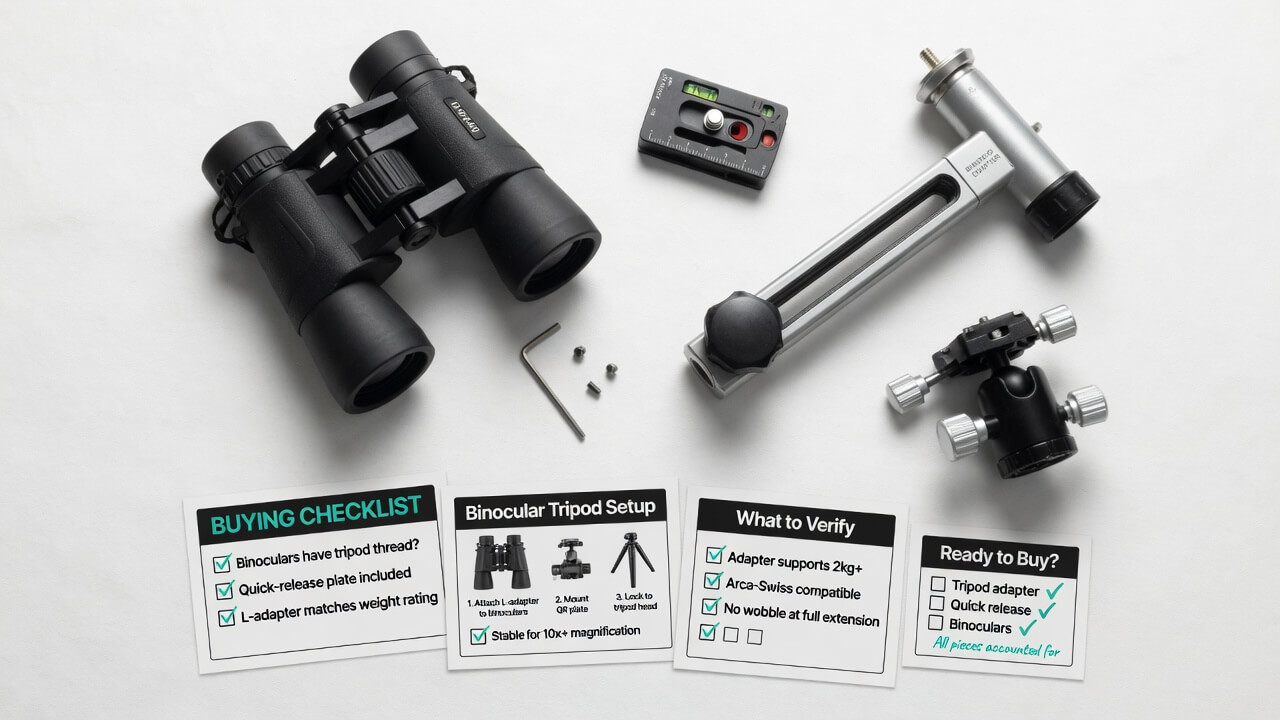
To attach binoculars to tripod equipment correctly, you usually need three things:
- Tripod-ready binoculars
- A binocular tripod adapter
- A stable tripod with a standard mounting plate
Most standard binoculars do not screw directly onto a tripod. Instead, they connect through a small adapter that fits between the binocular hinge and the tripod head.
The Key Part: Binocular Tripod Adapter
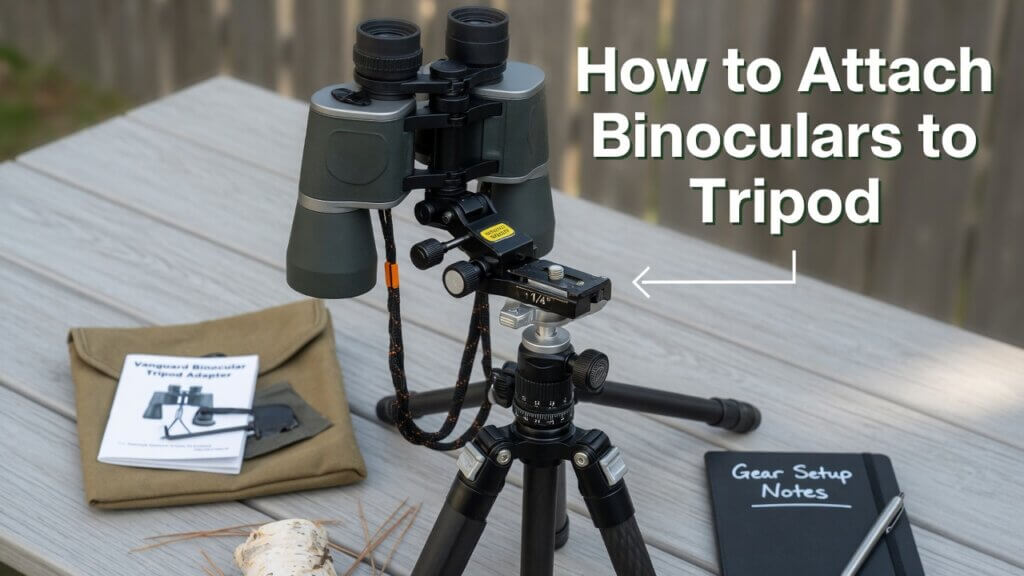
A binocular tripod adapter is a small metal or plastic bracket. One end screws into the binocular’s front hinge socket. The bottom of the adapter connects to the tripod plate.
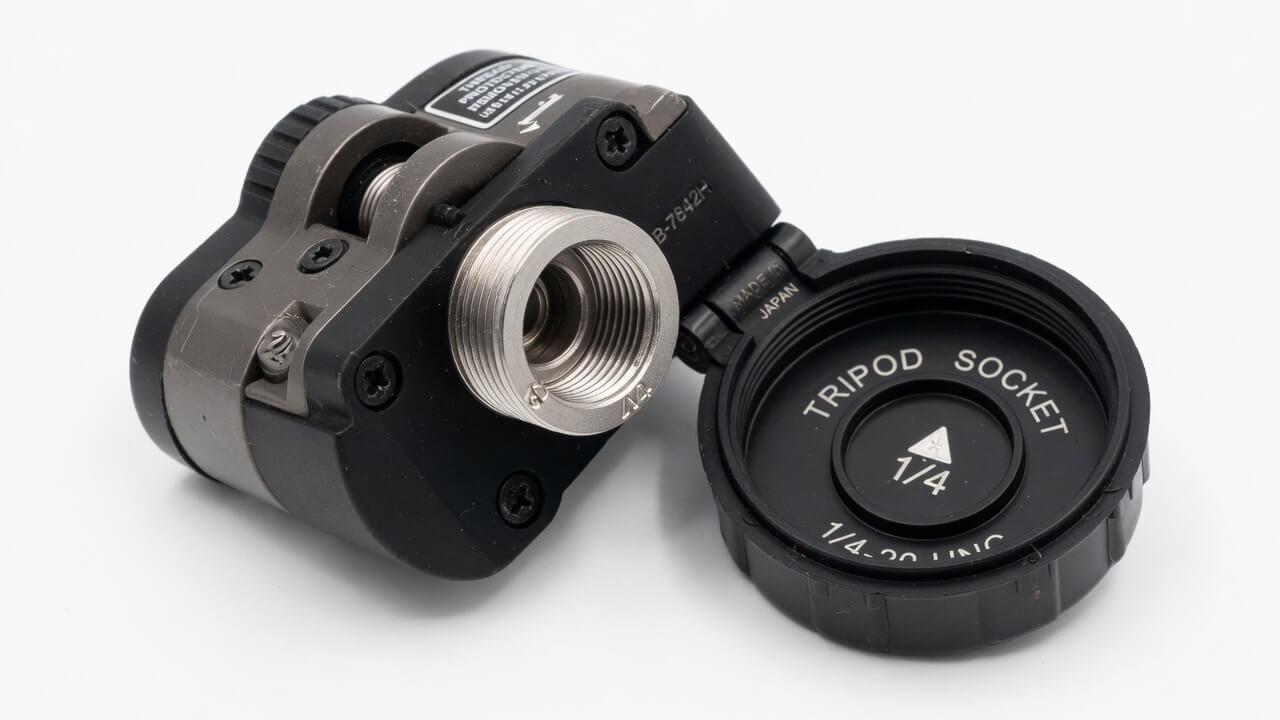
Most tripod-adaptable binoculars use a standard 1/4-inch threaded socket under the front cap. This cap is usually located between the two barrels, near the front hinge.
The adapter is what makes the whole system work. Without it, you may have a tripod and binoculars, but no secure way to connect them.
How to Know If Your Binoculars Are Tripod Adaptable
Before buying anything, check the front center hinge of your binoculars. Look between the two barrels. Many binoculars have a small round cap at the front. It may be plain, textured, or marked with a tripod symbol.
Unscrew that cap gently.
If you see a threaded socket underneath, your binoculars are tripod adaptable. If there is no socket, you cannot use a standard screw-in adapter. In that case, you may need a universal strap-style binocular mount, but it will not feel as clean or secure as a threaded adapter.
This is where many beginners get confused. They buy a tripod first, then realize their binoculars do not have the front socket. Check the binocular body first, not the tripod.
Step-by-Step: How to Attach Binoculars to Tripod
Attaching binoculars to a tripod is not difficult, but small details make a big difference.
Step 1: Remove the Front Hinge Cap
Hold the binoculars firmly and locate the small cap between the barrels. Unscrew it slowly. Keep the cap in a safe place because you may need it later when using the binoculars handheld.
Do not use pliers unless the cap is completely stuck. Scratching the hinge area is easy, and it feels annoying every time you see it later.
Step 2: Screw the Adapter Into the Binoculars
Take the binocular tripod adapter and screw its top bolt into the exposed socket. Tighten it by hand only.
This is important. The goal is secure, not forced.
If you overtighten the adapter, you can damage the thread or make the adapter difficult to remove. A snug fit is enough for most binoculars.
For a deeper setup walkthrough, check the supporting article on binocular tripod adapter installation. It focuses specifically on fitting the adapter correctly without damaging the binocular hinge.
Step 3: Attach the Adapter to the Tripod Plate
Most tripod heads have a quick-release plate. Remove the plate from the tripod head and screw it into the bottom of the binocular adapter.
Make sure the plate sits straight. If it is angled or loose, the binoculars may wobble even though everything looks connected.
Step 4: Lock the Plate Back Onto the Tripod
Slide or clip the quick-release plate back onto the tripod head. Lock it properly.
Now gently move the binoculars side to side. If you feel movement at the adapter, tighten the connection slightly. If the movement is from the tripod head, adjust the head tension.
Step 5: Balance the Binoculars Before Viewing
This part is often ignored.
Heavy binoculars can pull forward if the tripod head is too loose. Adjust the tilt tension and test the balance before putting your eyes to the eyecups.
A balanced setup feels smooth. An unbalanced setup feels like the binoculars are always trying to fall forward.
Best Product Recommendation: Vortex Uni-Daptor
If you want one reliable adapter that works well for most tripod-ready binoculars, the Vortex Uni-Daptor Binocular Tripod Adapter is a strong choice.
It makes sense for users who switch between tripod viewing and handheld glassing because it has a quick-release style design. Vortex describes the Uni-Daptor as precision-machined, slim enough to fit between large binocular barrels, and compatible with tripod-adaptable binoculars. It also allows users to remove the binocular from the mount for handheld viewing without disconnecting the full adapter.
Why I like it: it solves a real annoyance. Many adapters are technically functional but bulky. They get in the way when you close the binocular hinge or carry the binoculars against your chest. A slim adapter is much easier to live with in the field.
Best for:
| User Type | Why It Fits |
|---|---|
| Bird watchers | Quick switching between tripod and handheld use |
| Hunters | Slim profile for field carry |
| Astronomy beginners | Stable enough for common 10x and 12x binoculars |
| General outdoor users | Simple, clean, and not overcomplicated |
It is not the cheapest adapter, but this is one accessory where saving a few dollars can create daily irritation. A loose adapter makes even expensive binoculars feel poor.
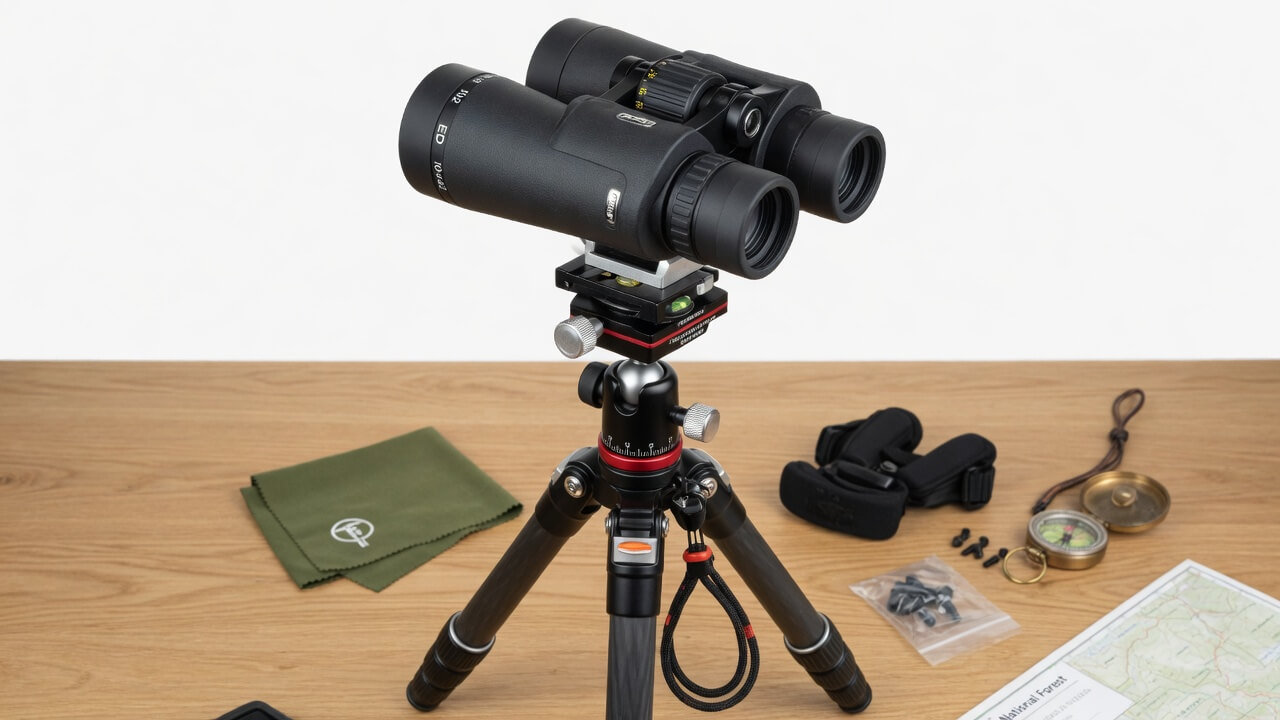
Binocular Tripod Adapter vs Universal Mount
Not every setup uses the same mounting method. Some binoculars have a threaded socket. Others do not. This is where the difference between a binocular tripod adapter and a universal binocular mount matters.
| Feature | Binocular Tripod Adapter | Universal Binocular Mount |
|---|---|---|
| Best for | Tripod-ready binoculars | Binoculars without tripod socket |
| Stability | Better | Moderate |
| Setup time | Fast | Slower |
| Fit | Cleaner and more secure | Depends on strap or clamp design |
| Field use | Excellent | Can feel bulky |
| Price range | Usually affordable | Varies more |
If your binoculars have a front socket, choose a proper adapter. If they do not, a universal mount can work, but it usually feels less refined.
For a more detailed comparison, read binocular mount vs tripod adapter. It will help you decide which option fits your binocular model and viewing style.
Real-World Use Cases
Astronomy Viewing
Tripod mounting is almost mandatory for astronomy binoculars. When looking at the moon, star clusters, or deep-sky objects, even tiny hand movement ruins the view.
A 10×50 binocular on a tripod feels much better than handheld. A 15×70 binocular without a tripod can become tiring within minutes. With a tripod, it becomes a proper observing tool.
For astronomy, choose a tripod that extends high enough. If the tripod is too short, you will bend your neck awkwardly when viewing objects higher in the sky.
Bird Watching From a Fixed Spot
For walking trails, handheld binoculars are still more convenient. But if you are watching from a hide, balcony, wetland edge, or garden setup, tripod-mounted binoculars are excellent.
The tripod lets you keep the same viewing position. You can scan branches, waterlines, or distant fields without constantly lifting the binoculars.
One small tip: use a fluid tripod head if you follow moving subjects. A cheap stiff head makes panning feel jerky.
Hunting and Long-Range Scouting
Hunters often spend more time glassing than walking. In open country, a tripod-mounted binocular setup reduces fatigue and helps you catch movement you might miss by hand.
The benefit is not only steadiness. It is discipline. You can divide a hillside into sections and study each area carefully.
For this type of use, avoid flimsy travel tripods. Lightweight is nice, but not if wind makes the binoculars vibrate.
Sports, Marine, and Scenic Viewing
A tripod is useful anywhere you stay in one position for a while. Watching boats, landscapes, outdoor events, or distant architecture becomes much easier when your binoculars stay locked in place.
This is also where casual users finally understand the value of mounting. You do not need to be an expert. You just need to hate shaky images.
Pros and Cons of Attaching Binoculars to a Tripod
Pros
| Pros | Practical Benefit |
|---|---|
| Much steadier image | Better detail and less eye strain |
| Less arm fatigue | Longer viewing sessions |
| Better for high magnification | Makes 12x, 15x, and 20x binoculars more usable |
| Helpful for shared viewing | Keeps the view fixed for another person |
| Better for phone photography | Easier alignment and less blur |
Cons
| Cons | Real-World Issue |
|---|---|
| Slower to move around | Not ideal for fast hiking |
| Extra gear to carry | Tripod and adapter add weight |
| Cheap tripods wobble | Stability depends on tripod quality |
| Overhead viewing can be awkward | Astronomy may need a taller tripod or angled setup |
| Not all binoculars are compatible | Some need universal mounts |
My honest opinion: a tripod is not necessary for every binocular user. For 8×32 travel binoculars, it may feel like overkill. But for 10×50, 12×50, 15×70, or long viewing sessions, it changes everything.
Common Mistakes to Avoid
Buying the Tripod Before Checking the Binoculars
Always check whether your binoculars have a tripod socket first. If they do not, a standard adapter will not help.
Using a Weak Tripod
A lightweight phone tripod or tiny tabletop tripod may hold the binoculars, but that does not mean it will perform well. If the image vibrates in wind, the setup fails.
Overtightening the Adapter
People often think tighter means safer. With binocular threads, overtightening can cause damage. Hand-tight is usually enough.
Ignoring Eye Height
A tripod that is too short will make viewing uncomfortable. This matters especially for astronomy and standing outdoor use.
Choosing a Bulky Adapter
Some adapters fit technically but block comfortable handling. Slim adapters are usually better for roof prism binoculars and narrow hinge designs.
Buyer Tips Before You Choose a Tripod Setup
When choosing a setup to attach binoculars to tripod, think about your actual viewing style.
If you mostly hike, choose a compact tripod and quick-release adapter. If you watch from a fixed location, choose stability over portability. If you use large astronomy binoculars, get a taller and heavier tripod. If you plan to share the view with family, look for a smooth pan-and-tilt head.
Also, do not overspend on the tripod if your binoculars are basic. Balance your budget. A solid mid-range tripod and a good adapter usually make more sense than buying an expensive tripod head for entry-level binoculars.
For more practical optics buying tips and related articles, visit bestbinocular.net and explore the blog tips section for comparison-based guides.
Final Thoughts
Learning how to attach binoculars to tripod setups is one of the simplest upgrades you can make if shaky viewing is bothering you. You do not need a complicated rig. You need tripod-adaptable binoculars, a secure binocular tripod adapter, and a stable tripod that matches your viewing style.
For casual short-distance use, handheld binoculars are fine. But for astronomy, hunting, long-range scouting, bird watching from one spot, or extended scenic viewing, tripod mounting makes the experience calmer and more detailed.
The main rule is simple: do not treat the adapter as an afterthought. A good adapter creates the connection between your binoculars and tripod. If that connection is weak, the whole setup feels weak.
Start with your binocular’s front hinge socket. Choose the right adapter. Use a stable tripod. Tighten everything gently. Then enjoy the difference when the image finally stops shaking.
FAQs About How to Attach Binoculars to Tripod
Can all binoculars be attached to a tripod?
No, not all binoculars can be attached to a tripod with a standard adapter. Most tripod-ready binoculars have a threaded socket under the front hinge cap. If your binoculars do not have this socket, you may need a universal binocular mount instead.
What adapter do I need to attach binoculars to tripod?
You usually need a binocular tripod adapter with a top screw that fits the binocular hinge socket and a bottom thread that connects to the tripod plate. A slim metal adapter is often better because it feels more stable and fits between binocular barrels more easily.
Where is the tripod socket on binoculars?
The tripod socket is usually hidden under a small cap at the front center hinge, between the two binocular barrels. Unscrew the cap gently to check for the threaded hole underneath.
Are tripod-mounted binoculars better than handheld binoculars?
Tripod-mounted binoculars are better for long viewing sessions, high magnification, astronomy, hunting, and detailed observation. Handheld binoculars are better for quick movement, hiking, travel, and casual scanning.
Can I attach 10×50 binoculars to a tripod?
Yes, most 10×50 binoculars can be attached to a tripod if they have a front threaded socket. In fact, 10×50 binoculars often benefit from tripod support because the image becomes steadier and easier to study.
Do I need a special tripod for binoculars?
You do not always need a special tripod, but you do need a stable one. A normal camera tripod can work if it has a standard quick-release plate and enough height. For large binoculars, use a stronger tripod with a smoother head.
Why do my binoculars still shake on a tripod?
Your binoculars may still shake if the tripod is too light, the adapter is loose, the tripod head is weak, or the ground is unstable. Wind can also cause vibration, especially with larger binoculars.
Is a metal binocular adapter better than plastic?
In most cases, yes. A metal binocular adapter usually feels more secure and lasts longer. Plastic adapters can work for light binoculars, but they may flex under heavier models.
Can I use a phone tripod for binoculars?
A small phone tripod is usually not ideal for binoculars. It may hold lightweight binoculars for tabletop use, but it often lacks the height, strength, and stability needed for comfortable viewing.
What is the easiest way to attach binoculars to tripod?
The easiest way is to use tripod-ready binoculars with a dedicated binocular tripod adapter. Remove the front hinge cap, screw in the adapter by hand, attach the adapter to the tripod plate, and lock it onto the tripod head.